
How to Edit Hair in Photo?
- June 27, 2026
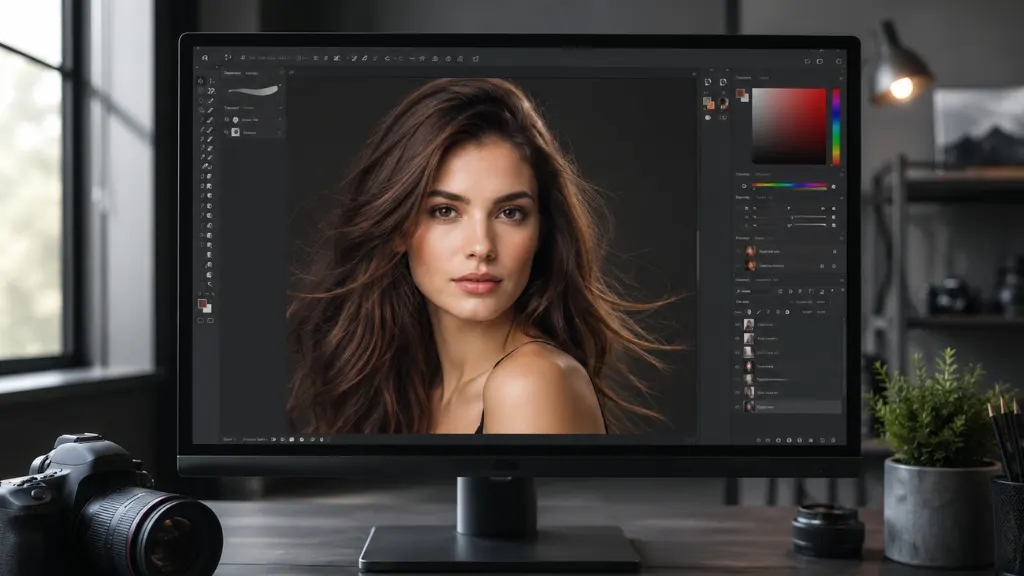
Hair is one of the most noticeable elements in any portrait or fashion photograph. Whether you are editing a professional headshot, beauty image, wedding portrait, or eCommerce fashion photo, clean and well-retouched hair can dramatically improve the final result. Learning how to edit hair in photo helps remove distractions, enhance hair texture, correct colors, and create polished images that look natural and professional.
Although modern cameras capture impressive detail, they cannot eliminate every imperfection. Flyaway strands, uneven lighting, frizzy edges, dull colors, and messy backgrounds often reduce the overall quality of a photograph. Fortunately, professional hair editing techniques solve these issues while preserving realistic texture and volume.
In this guide, you’ll learn the most effective methods for editing hair professionally, understand when to adjust hair color, and discover why many photographers and businesses outsource hair retouching to experienced image editors.
Why Hair Editing Matters in Professional Photography
Hair plays an important role in portrait photography because it frames the face and influences the overall appearance of the subject. Even a perfectly composed image can lose its impact if the hair appears untidy or poorly lit.
Professional hair editing improves image quality without making the subject look artificial. Instead of drastically changing someone’s appearance, skilled editors enhance natural beauty while preserving realistic details.
Hair editing is commonly used for:
- Fashion photography
- Beauty campaigns
- Wedding photography
- Corporate headshots
- Magazine covers
- Social media content
- Model portfolios
- eCommerce apparel photography
As a result, photographs appear cleaner, sharper, and more visually appealing.
Common Hair Problems Found in Photos
Before learning how to edit hair in photo, it’s important to understand the issues editors commonly fix.
Flyaway Hair: Small loose strands often appear around the head after outdoor photoshoots or windy conditions. These hairs distract viewers from the subject’s face.
Frizzy Hair: Humidity and lighting sometimes make hair appear rough and uneven. Professional retouching smooths these areas while maintaining realistic texture.
Uneven Hair Color: Lighting conditions frequently create unwanted color variations throughout the hair. Editors balance tones to achieve a consistent appearance.
Dull Hair: Poor lighting can reduce shine and make healthy hair appear flat. Careful enhancement restores natural highlights and depth.
Background Distractions: Messy backgrounds often overlap with hair edges. Professional masking creates clean selections while preserving individual strands.
How to Edit Hair in Photo Like a Professional
Professional editors follow a structured workflow to ensure realistic results. Instead of applying heavy filters, they make subtle improvements that preserve natural texture.
Remove Flyaway Hair: The first step involves removing distracting loose hairs. Editors carefully use healing and cloning tools to eliminate unnecessary strands without affecting the hairstyle.
Smooth Frizzy Areas: Rather than completely blurring the hair, professionals selectively soften rough areas while preserving individual strands. This creates a clean yet realistic finish.
Improve Hair Texture: Hair texture is one of the most important elements in portrait editing. Editors enhance detail and contrast to make hair appear healthier and more defined.
Enhance Natural Shine: Balanced highlights help create healthy-looking hair. Professional editors carefully brighten reflective areas without producing unrealistic results.
Refine Hair Edges: Accurate edge refinement separates hair from the background while maintaining soft transitions around fine strands.
These techniques help produce polished portraits suitable for commercial use.
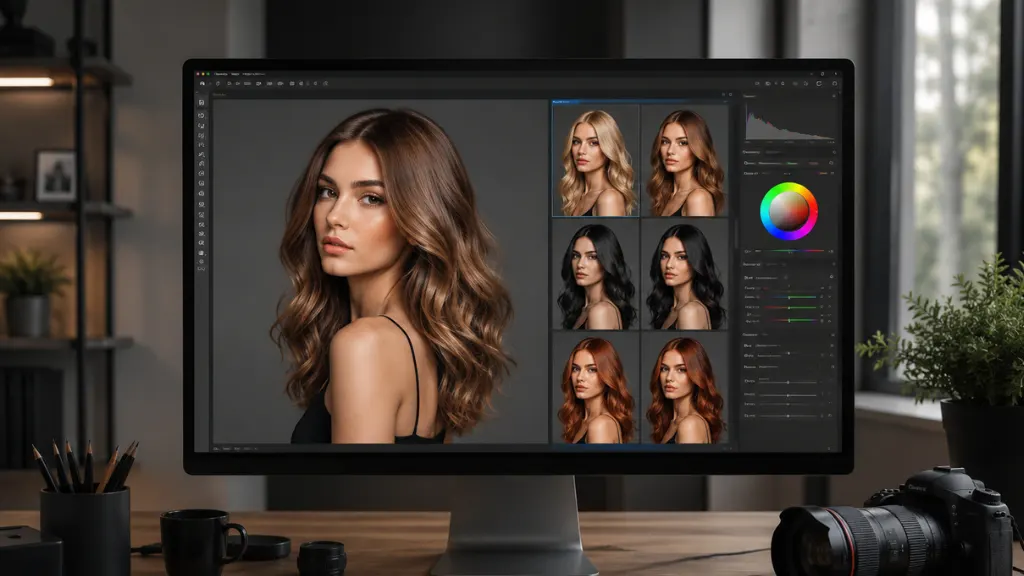
Edit Hair Color in Photo
One of the most requested hair retouching services is edit hair color in photo. Whether clients want subtle adjustments or dramatic color changes, professional editors create realistic transformations without affecting skin tones or surrounding objects.
Hair color editing has become increasingly popular in fashion photography, beauty advertising, salon marketing, and social media content creation.
Why People Edit Hair Color
Hair color adjustments serve many purposes.
Some clients simply want to correct lighting issues that altered the original color. Others wish to experiment with different shades before visiting a salon.
Brands often modify hair color to match seasonal campaigns or advertising themes. Additionally, photographers use color correction to ensure consistency across multiple images.
Professional Hair Color Editing Techniques
Experienced editors carefully isolate the hair before making any adjustments.
They then modify:
- Hue
- Saturation
- Brightness
- Color balance
- Highlights
- Shadows
This process maintains realistic lighting and natural depth throughout the hair.
Popular Hair Color Changes
Professional editors frequently create:
- Blonde hair
- Brunette tones
- Black hair
- Auburn shades
- Copper hair
- Silver hair
- Platinum blonde
- Red hair
- Pastel colors
- Fashion colors
Each adjustment blends naturally with the original lighting conditions.
Advanced Hair Retouching Techniques
Professional image editors use advanced methods that go beyond basic editing software.
Hair Masking: Hair masking allows editors to isolate complex hair strands while preserving soft edges. This technique is especially useful when replacing backgrounds.
Frequency Separation: Frequency separation helps smooth unwanted imperfections while maintaining realistic texture.
Dodge and Burn: Editors use dodge and burn techniques to improve volume, depth, and natural highlights throughout the hairstyle.
Selective Sharpening: Rather than sharpening the entire image, professionals sharpen only important hair details to increase realism.
Color Matching: When multiple portraits belong to one project, editors match hair colors to create consistent results throughout the collection.
Benefits of Professional Hair Editing
Professional hair editing offers several advantages beyond simple cosmetic improvements.
- First, it enhances portrait quality while preserving natural beauty.
- Second, it improves consistency across marketing campaigns, portfolios, and commercial projects.
- Third, it helps photographers deliver premium-quality work that satisfies clients.
Finally, it saves significant editing time for busy professionals who manage large image collections.
Because of these benefits, many photographers, agencies, and brands outsource hair retouching instead of editing every image themselves.
Conclusion
Learning how to edit hair in photo helps create polished, realistic portraits that leave a lasting impression. From removing flyaway strands to enhancing texture and improving color, professional hair editing transforms ordinary photographs into high-quality visual assets.
Whether you need to edit hair color in photo for a beauty campaign or simply refine portrait images for business use, expert retouching ensures natural-looking results without sacrificing authenticity. Investing in professional hair editing not only improves image quality but also strengthens your brand, enhances customer confidence, and helps your photos stand out in today’s competitive digital world.