
What’s a Good Video Editing Software: A Complete Guide
- September 3, 2026

Suppose you’re making a YouTube video, an Instagram Reel, a vlog, or a professional project; making the project done well is hard without good video editing software. Today you have lots of options in the market, free and paid, and many people struggle to figure out which one is right for them. In this article, we’ll go over which video editing software works best for whom, how to pick the right one, and walk through some real examples to make everything easy to understand.
Whether you’re a beginner, a professional, or someone who just wants to edit on a phone — a different tool tends to work best for each case. So right from the start, it’s worth saying: there isn’t one single “best” software — the best one depends on what you actually need.
Why You Need Video Editing Software
When you record raw footage, you need to trim the video, adjust the volume of the audio, adjust the colors with sences, and add any text or effects to make it engaging for the viewers. All of that will be done by using video editing software. Suppose you’re making a restaurant review video and maybe the camera shakes in the middle part of the raw footage, or the audio levels are uneven. A good video editing tool lets you cut that part out and fix this issue, balance the sound, and add a clean call-to-action text at the end, which is instantly making the video look more professional.
Easy Video Editing Software for Beginners
If you’re completely new to editing, starting with complicated software isn’t a good idea. It’s better to begin with simple, free options and practice from there.
- CapCut – Works on both mobile and desktop, is free, and comes with trending templates. It’s great for anyone making Reels or Shorts. Example: a college student making a travel reel can put together a video with transitions in just 10 minutes using CapCut.
- iMovie – Built into Apple devices and completely free. Its simple interface makes it ideal for first-time editors.
- Filmora – A paid tool, but affordable, with a very simple interface — a solid choice for anyone with a small budget to spare.
Best Video Editing Software for Professional Work
If you run a YouTube channel, do freelance work, or work at an agency level, you’ll need software with more advanced features.
- Adobe Premiere Pro – The industry-standard software. With multi-cam editing, color grading, and plugin support, it’s the most widely used tool for large projects. For example, a wedding videographer syncing footage from 3-4 cameras at once would typically use Premiere Pro.
- DaVinci Resolve – Even the free version comes with excellent color grading tools, making it the first choice for anyone who wants a cinematic look.
- Final Cut Pro – Known for fast rendering and smooth performance, popular among Mac users.
Good Video Editing Software for Mobile Use
Nowadays many people skip the laptop entirely and finish all their editing right on their phone. For that, these apps work well:
- CapCut Mobile – With auto-captions, trending sounds, and templates, it’s the most popular choice for short-form videos.
- KineMaster – Supports layer-based editing, so it’s a good option if you want a bit more control.
- VN Video Editor – Free and doesn’t add a watermark, which is quickly making it popular among beginners.
How to Choose the Right Video Editing Software
Before picking a software, keep a few things in mind:
- What’s your goal – Are you editing just for social media, or for professional client projects?
- Device and budget – Mobile or desktop, and can you afford a monthly subscription?
- Time to learn – Complex software takes time to master, so if you want to start working quickly, pick a simpler tool.
- Export quality – What resolution do you need for the final video? This also affects which software makes sense.
For example, if a food blogger posts reels every day, CapCut is more than enough. But if that same person also does long-form YouTube videos for brand deals, learning Premiere Pro or DaVinci Resolve would be far more useful.
Free vs Paid Video Editing Software
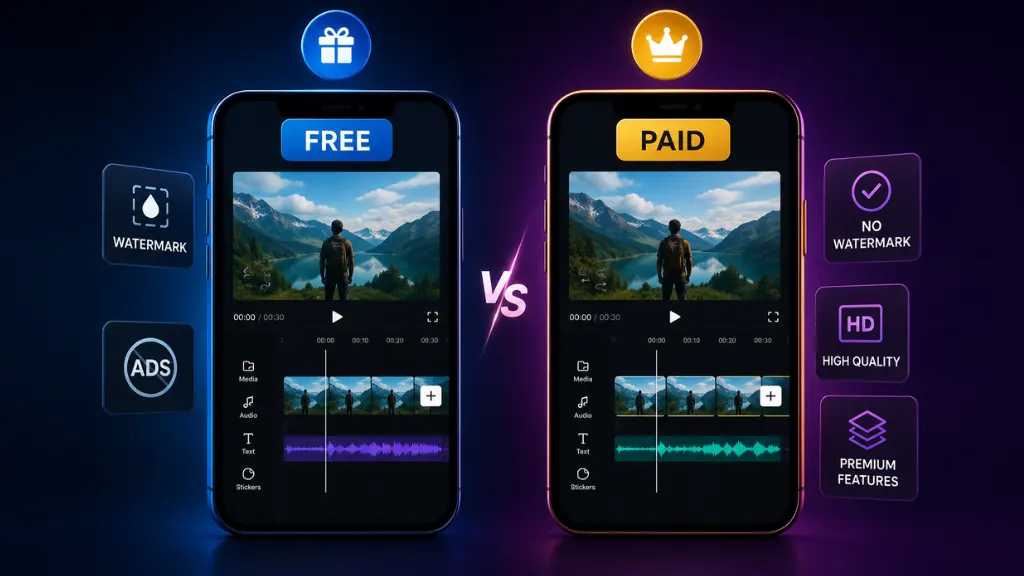
when many people want to know: Can a free version of video editing software really produce good-quality videos? The short answer is yes. The free version of video editing software like DaVinci Resolve has so many features, like professional video editing, that many professionals use to edit entire films with it alone. However, paid video editing software usually comes with additional support, cloud storage, and premium templates, which make it more flexible and easier to work.
Conclusion
The type of work you do, your budget, and your level of skill will determine how well this article helps you pick the right video editing software. Start with CapCut or iMovie when you’re first starting out, and then work your way up to a professional level with Premiere Pro or DaVinci Resolve. Regardless of how great the software turns out to be — good will. In spite of everything, your videos will in any case depend on practice and creative ability.