
What Is the Best AI Image Generator? A Complete Guide to Choosing the Right One
- August 27, 2026
Typed “what is the best AI image generator” into Google and got twenty different answers? Yeah, that’s the problem. There are dozens of these tools floating around now, and honestly, half of them are just riding the hype. Some are free. Some cost a small fortune every month. And a lot of them look amazing in the marketing screenshots but fall apart the second you actually sit down and try to use them.
So let’s skip the sales pitch. This guide walks through what an AI image generator really is, which tools are actually worth your time right now, and how to pick one that fits your budget, your skill level, and whatever you’re trying to make — product shots, social posts, client work, whatever it is.
What’s an AI Image Generator?
Simple version: it’s software that turns words into pictures. You type a description — designers call it a “prompt” — and the tool spits out an image built from that text. Something like “a red sports car parked on a rainy city street at night,” and within seconds you’ve got a fully rendered scene.
Behind that simplicity, there’s a lot going on. These tools run on models trained on millions and millions of images. Over time they’ve picked up on patterns — how light bounces off a surface, where shadows fall, how a face is put together — and use all of that to build something brand new instead of copying anything directly.
A job that used to eat up hours of a designer’s day now takes under a minute. That’s basically the whole reason people keep asking “what is the best AI image generator” in the first place — everyone wants the shortcut, but nobody wants to sacrifice quality to get it. And not every tool manages both.
Top AI Image Generators
Here’s the honest truth: there isn’t one “best” tool for every single person. It really comes down to what you’re building. That said, here’s what’s actually worth looking at this year.
- Midjourney — Still the top pick for artistic, highly detailed work. Designers and hobbyists love it for the distinct look it produces, though fair warning, it runs through Discord, and that setup takes a minute to get used to.
- DALL-E (via ChatGPT) — The easy button. Great for quick, everyday image needs, and if you’re already using ChatGPT, there’s nothing extra to install or learn.
- Adobe Firefly — Lives right inside Photoshop and the rest of Adobe’s Creative Cloud lineup. Makes sense if you’re already editing professionally and don’t want to jump between apps.
- Stable Diffusion — The tool for control freaks (said with love). It’s open-source, so you can run it on your own machine, tweak it however you want, and skip the monthly subscription entirely.
- Ideogram — This one actually gets text right inside images, which is where most AI generators completely fall apart. Handy for posters, banners, anything that needs readable words baked in.
- Leonardo AI — Popular with game designers and content creators thanks to its fine-tuned models and the way it keeps characters looking consistent across multiple images.
How to Choose One
This isn’t really about crowning a winner. It’s about matching the right tool to the job in front of you. A few things worth checking before you commit to a subscription:
- Image quality — Some tools go photorealistic, others lean illustrative or stylized. Look at real sample outputs, not just cherry-picked marketing images.
- Commercial usage rights — Not every plan lets you use generated images for business or client work. Read the license terms, especially on the free tiers — this trips people up constantly.
- Learning curve — Some tools respond fine to plain, simple prompts. Others, Midjourney especially, reward you for learning the specific prompt structure and parameters.
- Pricing — Free plans usually cap resolution, limit daily generations, or slap a watermark on everything. Paid plans open all that up.
- Speed — If you’re churning out images at scale for a business, how long each one takes actually matters more than you’d expect.
Free vs Paid Tools
Free tools are a fine place to start if you’re just messing around or making the occasional social post. Bing Image Creator, or the free tier of DALL-E, both work okay for casual use — though they usually cap resolution, drop watermarks on your images, or limit how many you can generate per day.
Paid plans, generally somewhere between $8 and $30 a month, remove those caps. You get commercial rights, higher resolution, faster generation, the whole package. For businesses, freelancers, or anyone making images on a regular basis for clients, that monthly cost tends to pay for itself pretty quickly.
AI Images for Business
Businesses need different things than someone generating art for fun. If you’re building product mockups, marketing visuals, or lifestyle shots for an online store, consistency and proper licensing matter a lot more than artistic flair does.
Here’s the catch though — AI-generated images almost always need a human pass before they’re ready to go live. Cleaning up messy backgrounds, fixing colors, removing weird AI artifacts, blending a generated image with a real product photo. This is exactly where professional photo editing services earn their keep, because even the sharpest AI output usually needs a bit of polish before it’s actually client-ready or store-ready.
Tips for Better Results
Picking the right tool is half the battle. How you write the prompt matters just as much, maybe more.
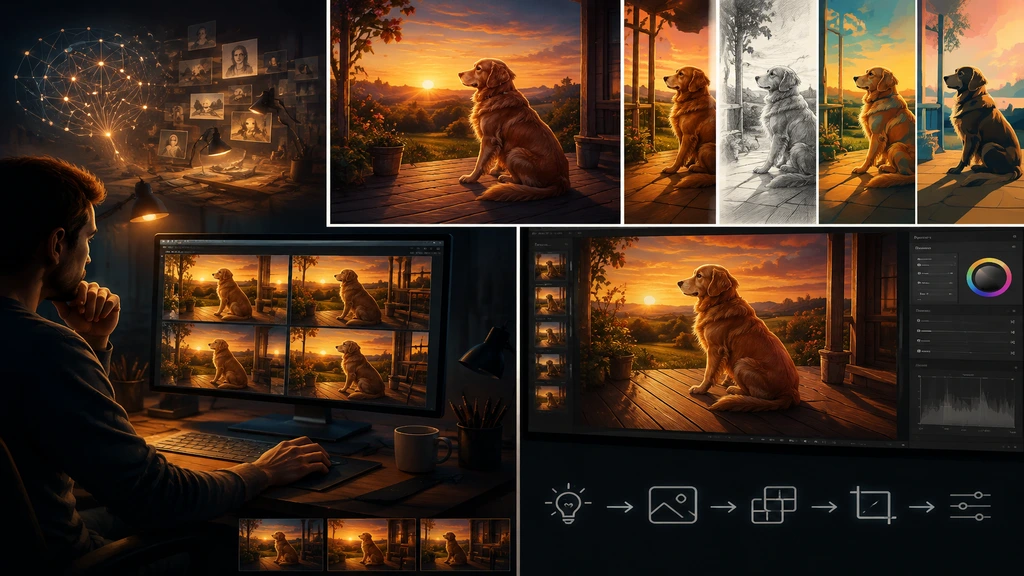
- Be specific — “A dog” gets you nothing useful. “A golden retriever sitting on a wooden porch during sunset” gets you something you can actually use.
- Mention lighting and mood — Phrases like “soft lighting,” “dramatic shadows,” or “warm tones” change the entire feel of the output.
- Reference a style — Add “in the style of a studio photograph” or “digital illustration” and watch the result snap closer to what you had in mind.
- Generate a few versions — Most tools give you multiple options per prompt. Don’t settle for whatever comes out first if it’s not quite right.
- Edit after generating — Even the best AI images usually need small touch-ups — cropping, color correction, that sort of thing — before they’re truly done.
Final Thoughts
So — what is the best AI image generator? Depends entirely on what you need it for, honestly. Midjourney wins on artistic detail. DALL-E wins on convenience. Adobe Firefly wins if you’re already deep in a professional workflow. Stable Diffusion wins on control and cost. No single tool beats every other one across the board — the “best” one is just whichever fits your project, your budget, and where you’re at skill-wise.
Whatever you end up choosing, keep this in mind: AI-generated images are rarely the finish line. They’re a starting point. A bit of professional editing can turn a decent AI image into something genuinely publish-ready, whether that’s for your website, your store, or a client.
